Technical troubleshooting guides, PLC fault codes, Servo drive preventative maintenance, and industrial electronics insights.
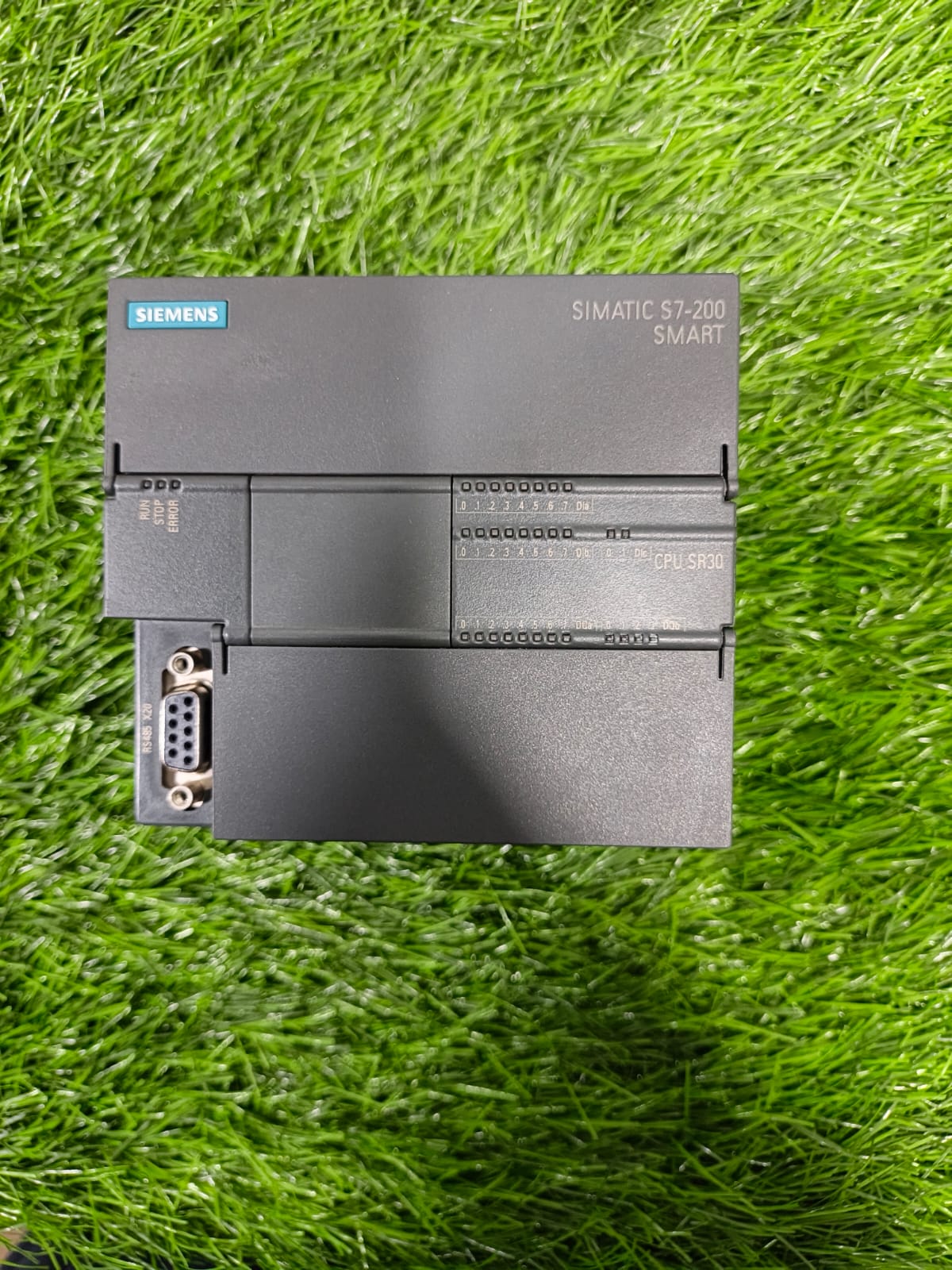
Siemens SIMATIC S7-200 SMART CPU SR30 – Complete Guide: Specifications, Programming Software, Installation & Troubleshooting The **Siemens SIMATIC S7-200 SMART CPU SR30** is a popular compact programmable logic controller (PLC) from the S7-200 SMART series. This standard CPU model (order number approximately 6ES7288-1SR30-0AA1) comes in an AC/DC/Relay configuration and is widely used in machine automation, packaging systems, conveyor controls, textile machinery, and other small-to-medium industrial applications. It delivers a strong balance of performance, expandability, and cost-effectiveness for industrial automation projects. Key Specifications of Siemens S7-200 SMART CPU SR30 This CPU features **18 digital inputs (24 V DC)** and **12 relay outputs (2 A)**. It is powered by a wide-range **AC 85–264 V (47–63 Hz)** supply, so no separate DC power supply is required in most cases. Program and data memory totals around **30 KB** (approximately 18 KB program memory and 12–16 KB user data). Processing speed is excellent — bit operations execute in just **0.15 µs**. It supports up to 6 high-speed counters (with single-phase counting up to 200 kHz), real-time clock with capacitor backup (typically 7 days), and optional microSD card for program storage and transfer. Communication interfaces include one Ethernet port (PROFINET capable) and one RS485 port, with the option to add a signal board for extra serial communication. Up to 6 expansion modules plus one signal board can be connected for additional I/O points. These features make the Siemens S7-200 SMART CPU SR30**, **S7-200 SMART PLC**, and **compact industrial PLC** highly suitable for modern machine builders seeking reliable control solutions. Programming Software – STEP 7-Micro/WIN SMART Download & Setup Programming is done exclusively with **STEP 7-Micro/WIN SMART**, the official software for the entire S7-200 SMART series. It supports Ladder Logic (LAD), Function Block Diagram (FBD), and Statement List (STL). You can download the latest compatible versions (V2.8 or V3.x depending on your CPU firmware) from the official Siemens download center or regional Siemens Industry Online Support portals. After downloading the installer (usually an ISO or ZIP file), run it as administrator, follow the installation wizard, and install any required USB/PPI cable drivers if you plan to use serial communication. Once installed, create a new project, select the CPU SR30 hardware, and start writing your program. The software allows online monitoring, forcing of I/O, and easy download/upload via Ethernet or RS485. Installation of Siemens S7-200 SMART CPU SR30 on the Machine Mount the CPU on a standard DIN rail inside the control panel. Connect the AC power supply to the appropriate terminals (L and N). Wire the digital inputs according to sink or source configuration (most sensors work in either mode). Connect the relay outputs to loads such as contactors, solenoids, or lamps, respecting the 2 A limit per point and proper common grouping. For communication, use a standard Ethernet cable for PROFINET/programming or a PPI cable (USB/PPI) for RS485. After powering on, check the status LEDs: RUN (green), STOP (yellow), and ERROR (red). Switch the mode switch to STOP, download the program, then switch to RUN. Always follow proper grounding and shielding practices to avoid noise issues in industrial environments. Programming Basics and Best Practices In STEP 7-Micro/WIN SMART you can create the main program (OB1), subroutines, and interrupt routines. Use high-speed counters for encoder or pulse applications, timers and counters for sequential control, and the built-in communication instructions for Modbus RTU, freeport, or PROFINET. Organize your program with clear comments and modular subroutines for easier maintenance. Always keep a backup of the project file (.smart or .mwp equivalent) and the final downloaded program. Common Troubleshooting Tips for S7-200 SMART CPU SR30 No RUN LED / CPU stays in STOP**: Check power supply voltage, mode switch position, and whether a valid program is present. Re-download the program if needed. - **ERROR LED flashing**: Look at the PLC Information window in the software or check special memory (SM) bits for diagnostic details. Common causes include I/O module configuration mismatch, communication errors, or high-speed counter wiring problems. - **Communication failure**: Verify IP address (for Ethernet), baud rate and cable (for RS485), and ensure the correct PC/PPI or Ethernet interface is selected in the software. - **Inputs/Outputs not responding**: Confirm wiring polarity, voltage levels, and that the corresponding I/O points are not forced. Check for short circuits on relay outputs. - **Program lost after power cycle**: Ensure the program is properly downloaded and the retentive memory settings are correct. Use microSD card for program backup if required. Regularly update the CPU firmware when new versions become available and keep the programming software updated for best compatibility. The **Siemens SIMATIC S7-200 SMART CPU SR30** remains one of the most practical choices for cost-effective industrial automation. With proper programming using **STEP 7-Micro/WIN SMART**, correct installation, and systematic troubleshooting, it delivers reliable performance in a wide range of machine control applications. Whether you are building new equipment or upgrading existing systems, this compact PLC offers the right mix of features, expandability, and ease of use.
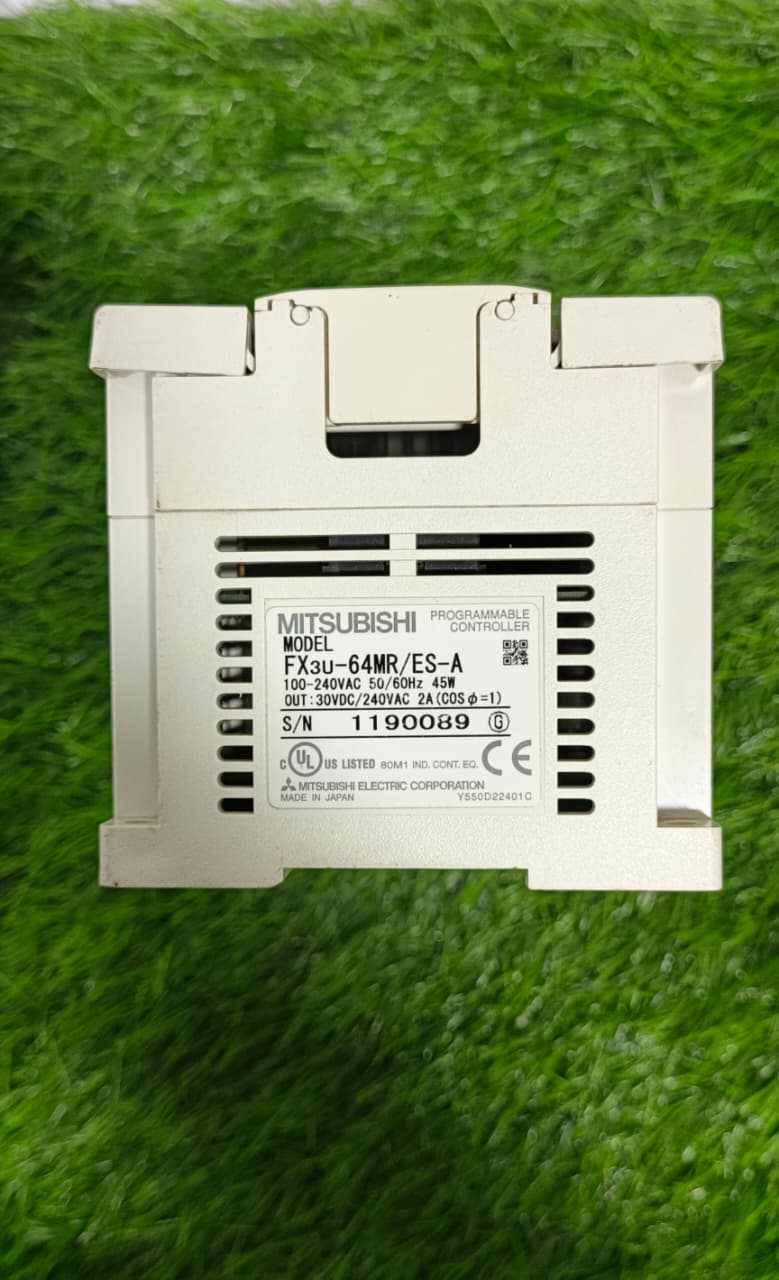
Introduction to Mitsubishi FX3U-64MR PLC The Mitsubishi FX3U-64MR PLC is a reliable and flexible industrial automation PLC designed for machine control, manufacturing systems, and industrial automation applications. At Mega Hz, we provide Mitsubishi FX3U PLC programming, troubleshooting, panel integration, communication, and automation solutions for different industrial requirements. What is Mitsubishi FX3U-64MR PLC? The Mitsubishi FX3U-64MR is a compact PLC from Mitsubishi Electric’s FX3U series, suitable for machine automation and industrial control applications. It can be programmed according to machine requirements and integrated with HMI, SCADA systems, sensors, drives, controllers, and other industrial devices. Key Features of Mitsubishi FX3U-64MR • Mitsubishi FX3U Series PLC• 64-point I/O configuration• Relay output type• Suitable for machine and process automation• Expandable with additional Mitsubishi PLC modules• Supports communication with HMI and industrial devices• Suitable for industrial control panels and automated machinery Mitsubishi FX3U-64MR PLC Programming Our team provides Mitsubishi PLC programming services for FX3U-64MR and other Mitsubishi PLC systems. We can develop, modify, troubleshoot, and optimize PLC programs according to machine requirements, including sequence control, motor control, sensor logic, alarms, timers, counters, interlocks, and automated machine operations. PLC Troubleshooting & Fault Diagnosis We provide Mitsubishi FX3U PLC troubleshooting and fault diagnosis to identify programming, communication, I/O, and machine-control problems. Our troubleshooting service helps locate PLC-related faults and restore reliable machine operation. PLC Communication & System Integration The FX3U-64MR can be integrated with different industrial devices according to application requirements. We provide PLC communication and industrial automation integration, including communication between PLC, HMI, SCADA, VFDs, servo systems, sensors, controllers, and other automation equipment. SCADA & HMI Integration For applications requiring monitoring and visualization, we can integrate the Mitsubishi FX3U PLC with HMI and SCADA systems. This can include machine status, process monitoring, alarms, data display, control functions, and operator interfaces. Machine Automation Applications Mitsubishi FX3U-64MR PLC solutions can be used for: • Machine Automation• Industrial Control Systems• Textile Machinery• Manufacturing Machines• Conveyor Systems• Motor & Process Control• Packaging Machinery• Production Line Automation• HMI & SCADA Systems• Industrial Control Panels PLC Panel Integration We can also integrate the Mitsubishi FX3U-64MR PLC into industrial control panels, including PLC wiring, I/O configuration, HMI integration, communication setup, and machine control requirements. Why Choose Mega Hz for Mitsubishi PLC Solutions? Mega Hz provides industrial automation, Mitsubishi PLC programming, PLC troubleshooting, HMI integration, SCADA solutions, PLC communication, and control panel services. Our team works with Mitsubishi and other major automation brands to provide practical solutions for industrial machinery and manufacturing applications. Keywords: Mitsubishi FX3U-64MR PLC, Mitsubishi PLC programming, FX3U PLC programming, Mitsubishi PLC troubleshooting, FX3U troubleshooting, Mitsubishi PLC communication, PLC HMI integration, PLC SCADA integration, machine automation, industrial automation, Mitsubishi control panel, PLC programming services.
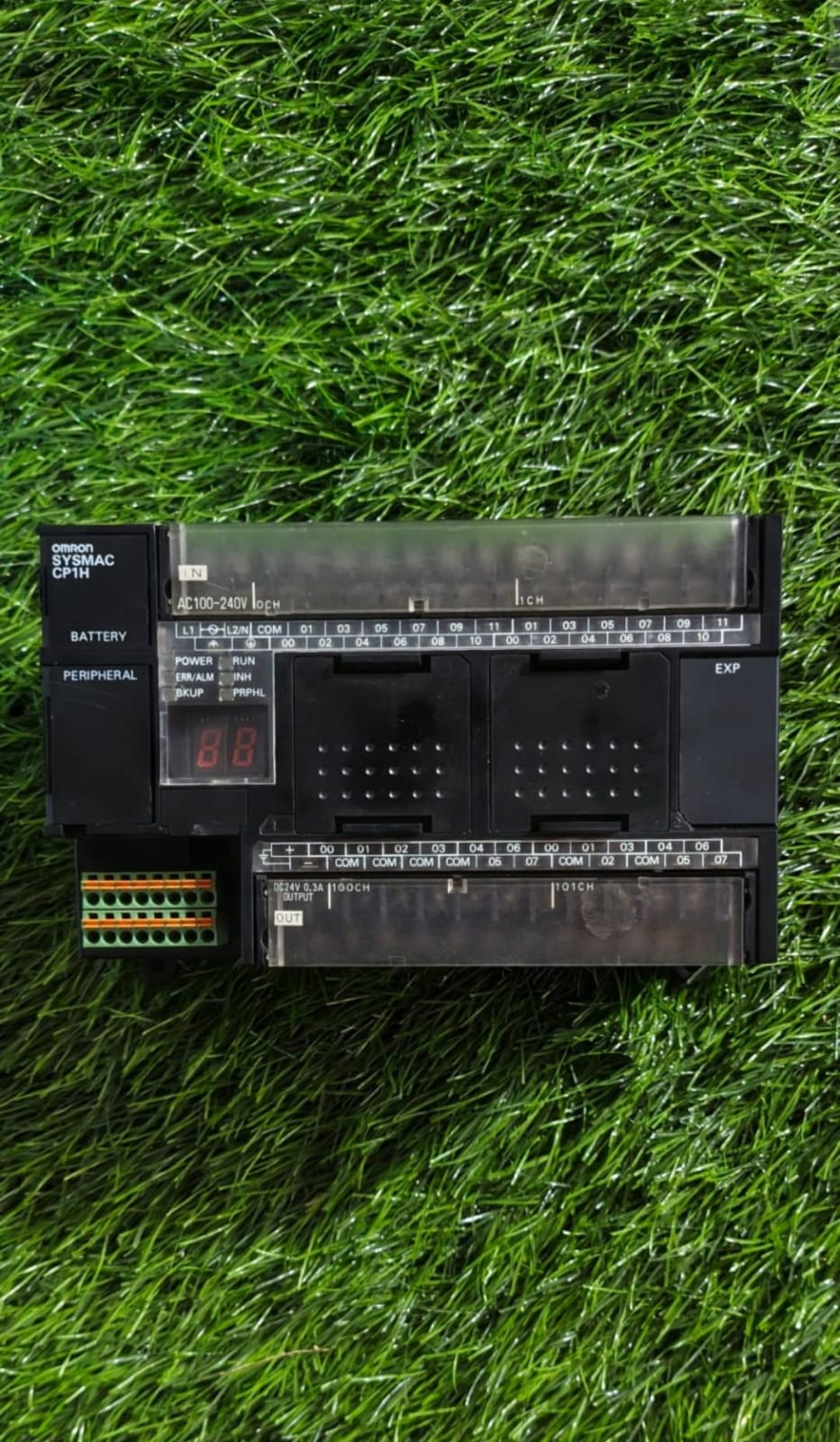
Introduction to Omron PLCs In today’s rapidly evolving industrial environment, industrial automation plays a vital role in improving productivity, accuracy, efficiency, and machine performance. Omron PLCs (Programmable Logic Controllers) are widely used in industrial automation and machine control applications because of their reliable performance, flexible programming capabilities, and compatibility with a wide range of automation equipment. An Omron PLC is an industrial control device designed to monitor inputs, process programmed logic, and control outputs in automated machines and production systems. From manufacturing and packaging to material handling and process automation, Omron PLC systems can be used in numerous industrial applications. What Is an Omron PLC? A Programmable Logic Controller (PLC) is a specialized industrial computer used to automate machines and processes. An Omron PLC receives signals from sensors, switches, and other input devices, processes them according to a user-defined PLC program, and then sends commands to output devices such as motors, valves, relays, and actuators. Omron offers different PLC platforms designed for applications ranging from basic machine control to advanced and high-speed industrial automation. Common Omron PLC families include: Omron CP Series PLCs Omron CJ Series PLCs Omron CS Series PLCs Omron NX Series PLCs Omron NJ Series Machine Automation Controllers The appropriate PLC depends on factors such as I/O requirements, processing speed, communication protocols, motion control requirements, application size, and system architecture. Key Features of Omron PLC Systems Omron PLCs provide a range of features that make them suitable for modern industrial automation applications. 1. Reliable Industrial Control Omron PLCs are designed for continuous operation in industrial environments. They can be used to control machinery and automated production processes where dependable operation is important. 2. Flexible PLC Programming Omron PLC programming allows engineers and technicians to create customized control logic for different machines and applications. Depending on the PLC platform and programming environment, automation programs can be developed using commonly used PLC programming methods such as Ladder Diagram and Structured Text. 3. High-Speed Processing Many Omron PLC and machine controller platforms are designed for applications requiring fast processing and precise control. This makes them suitable for high-speed machinery, packaging systems, assembly equipment, and production lines. 4. Industrial Communication Modern automation systems require PLCs to communicate with HMIs, servo drives, sensors, robots, inverters, and other controllers. Omron automation solutions support various industrial communication technologies depending on the PLC platform and installed modules. 5. Expandable I/O Omron PLC systems can be configured with different digital and analog input/output options. This allows automation engineers to build control systems according to the requirements of individual machines. Omron PLC Programming PLC programming is one of the most important parts of an industrial automation project. The PLC program determines how a machine responds to sensors, operator commands, alarms, timers, counters, and other control conditions. An Omron PLC program can typically include: Digital input and output control Timers and counters Motor control Sensor monitoring Alarm handling Interlocking logic Analog signal processing Communication control Machine sequencing Data handling HMI communication Proper Omron PLC programming can help improve machine reliability, simplify troubleshooting, and make automated systems easier to maintain. Omron PLC Software and Programming Tools Depending on the Omron PLC family and automation platform, different Omron software environments may be used for programming, configuration, monitoring, and troubleshooting. Engineers use PLC programming software to create control logic, configure hardware, monitor PLC status, troubleshoot errors, and transfer programs between a computer and the PLC. Before selecting software, it is important to identify the exact Omron PLC model and series, because programming and configuration requirements can differ between product families. Applications of Omron PLCs Omron PLCs are used across a wide range of industrial automation applications. Manufacturing Automation PLCs can control production machines, assembly systems, conveyors, sensors, and automated manufacturing processes. Packaging Machines Omron PLC automation can be used in packaging equipment for sequencing, sensor monitoring, counting, machine interlocks, and communication with other automation components. Conveyor Systems PLC-based conveyor control systems can manage motor operation, product detection, sequencing, and material movement. Material Handling Automated material handling systems can use PLCs to coordinate sensors, motors, actuators, and other control devices. Machine Automation Omron PLCs and machine controllers can be integrated into specialized machinery requiring automated sequencing and precise control. Process Automation Depending on the PLC platform and system design, Omron control solutions can also be used for monitoring and controlling industrial processes involving temperature, pressure, flow, level, and other variables. Omron PLC with HMI An Omron PLC and HMI system can provide operators with a graphical interface for monitoring and controlling industrial machinery. An HMI can display information such as: Machine status Production counts Alarms Sensor conditions Process values Operating modes Fault information Maintenance information Combining an Omron PLC with an HMI can make machine operation and troubleshooting more convenient for operators and maintenance teams. Omron PLC and Industrial Automation Modern factories often require multiple automation devices to work together. An Omron PLC can form part of a larger industrial automation system that includes: PLCs and machine controllers HMIs Servo motors and drives Variable frequency drives Sensors Safety devices Industrial robots Vision systems Remote I/O Industrial networks The correct combination of these components depends on the machine requirements, production process, communication architecture, and control objectives. How to Select the Right Omron PLC Selecting the right Omron PLC requires understanding the application before choosing a specific model. Important factors include: Number of digital inputs and outputs Analog I/O requirements Required processing speed Communication requirements Motion control requirements Memory requirements Expansion requirements HMI integration Machine size and complexity Future expansion requirements A properly selected PLC can help create a reliable and maintainable automation system. Benefits of Omron PLC Automation Using PLC-based industrial automation can provide several practical advantages, including: Improved machine control Repeatable operation Reduced manual intervention Easier troubleshooting Flexible control logic Integration with HMIs and automation devices Scalable control architecture Improved monitoring and diagnostics The actual benefits depend on the machine design, application requirements, installation quality, programming, and maintenance practices. Omron PLC Troubleshooting PLC troubleshooting is an important part of maintaining industrial automation equipment. When a machine stops operating correctly, engineers can check the PLC program, input signals, output status, communication, sensors, wiring, and connected devices. Common areas to inspect include: PLC diagnostic information Input and output status Sensor operation Wiring and connections Communication status Program logic Power supply HMI alarms Drive and motor status A structured troubleshooting process can help identify the source of a machine fault and reduce unnecessary downtime. Why Omron PLCs Are Important for Modern Automation As manufacturers continue to adopt smart manufacturing and industrial automation, PLCs remain an important part of machine control systems. Reliable control, communication, diagnostics, and integration with other automation technologies are essential for modern production environments. Omron's automation portfolio provides solutions for different levels of industrial control, allowing businesses and automation professionals to select technologies based on their specific application requirements. Conclusion Omron PLCs are an important component of industrial automation and machine control systems. From basic machine sequencing to advanced automation applications, Omron PLC platforms can be integrated with HMIs, sensors, drives, motion systems, and other industrial equipment. Whether you are looking for information about Omron PLC programming, Omron PLC automation, PLC control systems, industrial automation, HMI integration, or PLC troubleshooting, understanding the requirements of your application is the first step toward designing an effective automation solution. For businesses working with industrial machinery and automation, choosing the appropriate Omron PLC system and implementing it with proper programming, installation, commissioning, and maintenance can help create a dependable and efficient control system.
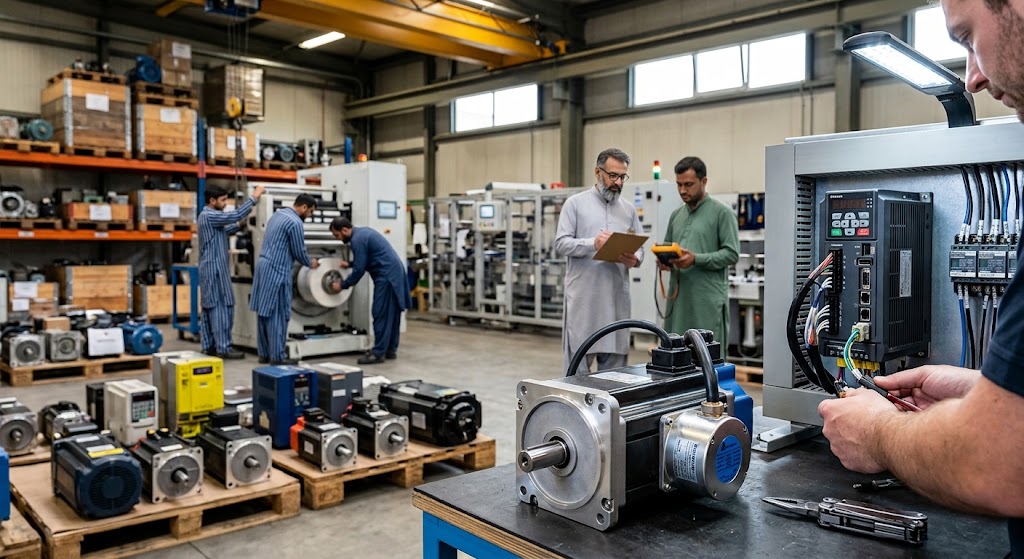
Upgrading a stenter machine, winder, or packaging line from an older induction motor to an AC servo system can dramatically improve precision and reduce material waste — but choosing the wrong motor size or drive combination often leads to overheating, nuisance faults, or wasted budget. Plant engineers evaluating a servo upgrade should weigh a few key factors before placing an order. What to Evaluate Before Selecting a Servo Motor: Match Torque to the Actual Load, Not Just Motor Size: Undersized servo motors running near their continuous torque limit fail prematurely; oversized motors waste energy and increase cost without added benefit. Calculate load torque, including inertia during acceleration, before selecting a frame size. Confirm Encoder Compatibility with the Drive: Mixing servo motors and amplifiers from different brands or generations often causes encoder communication errors — always verify the encoder protocol (e.g., incremental, absolute, brand-specific serial) matches the drive. Account for Ambient Heat and Duty Cycle: High-cycle applications like packaging lines demand motors rated for continuous duty, not intermittent-duty industrial motors that overheat under constant operation. Plan Cable Routing Away from VFD Lines: Servo encoder feedback cables are highly sensitive to electrical noise; routing them parallel to VFD power cables is a common cause of positioning errors after installation
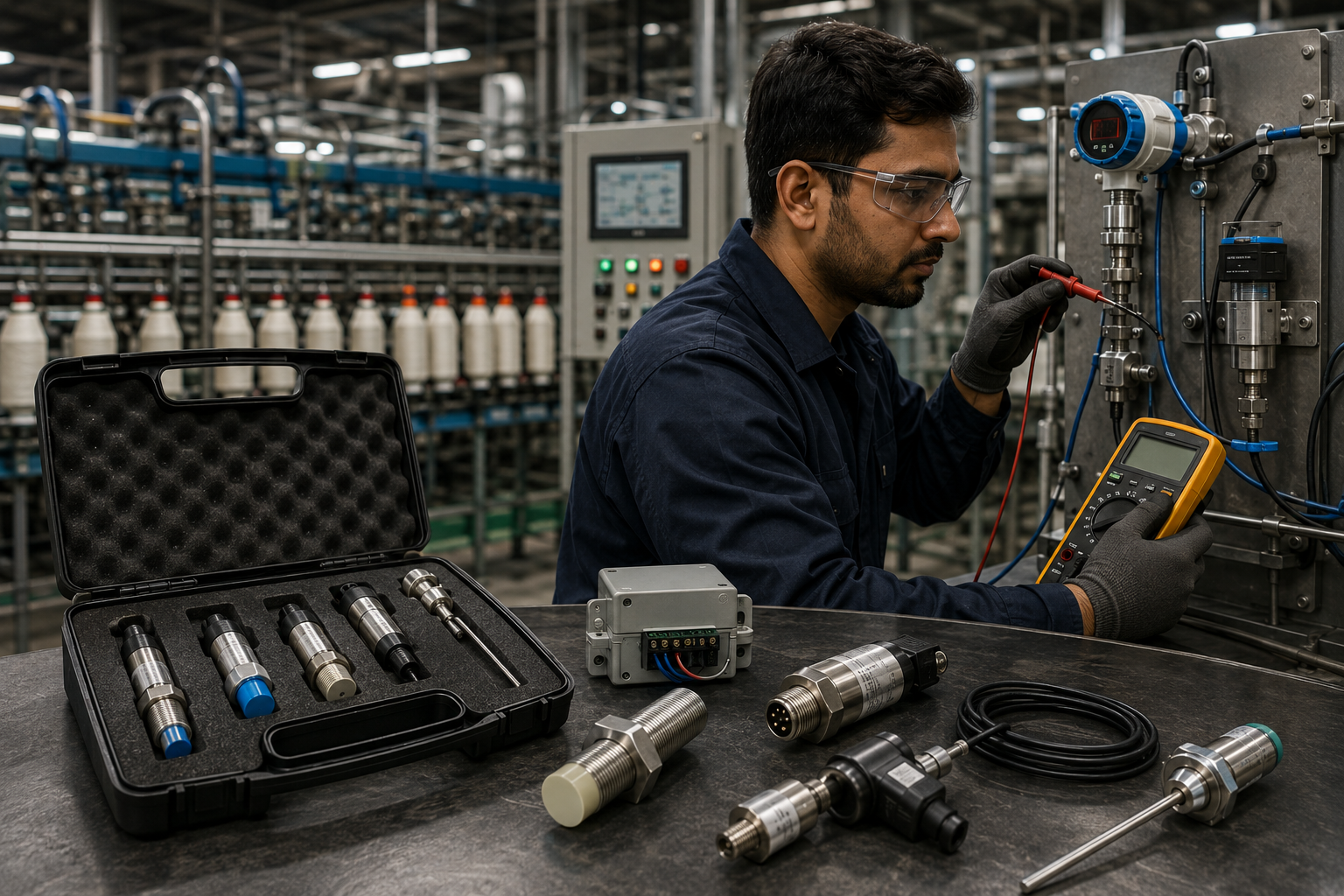
Proximity sensors, pressure transducers, and temperature probes are the eyes of any automated production line, and a single misbehaving sensor can trigger false machine stops or, worse, let a real fault go undetected. In dusty and humid textile environments, sensor drift is one of the most common and most misdiagnosed causes of unplanned downtime. Key Troubleshooting Steps: Check Supply Voltage at the Sensor: A drooping 24V DC supply, often caused by long cable runs or overloaded power rails, causes inductive proximity sensors to give inconsistent detection ranges. Inspect for Metal Dust & Fiber Buildup: Lint and metal shavings accumulating on sensor faces in textile and metalworking plants create false triggering or missed detections a simple cleaning often resolves "random" faults. Verify Shielded Cable Grounding: Analog 4-20mA transducer signals are highly sensitive to electromagnetic noise from nearby VFDs and contactors; improperly grounded shielding is a leading cause of erratic readings. Cross-Check with a Second Reference Sensor: Before replacing a suspected faulty sensor, temporarily swap in a known-good unit of the same type to confirm whether the fault is in the sensor or the wiring/PLC input card. MegaHz supplies and repairs AC servo drives and motors from Yaskawa, Mitsubishi, Delta, and other major brands, and our engineering team can help plant managers right-size a servo upgrade before committing to a purchase avoiding costly trial-and-error on the production floor.
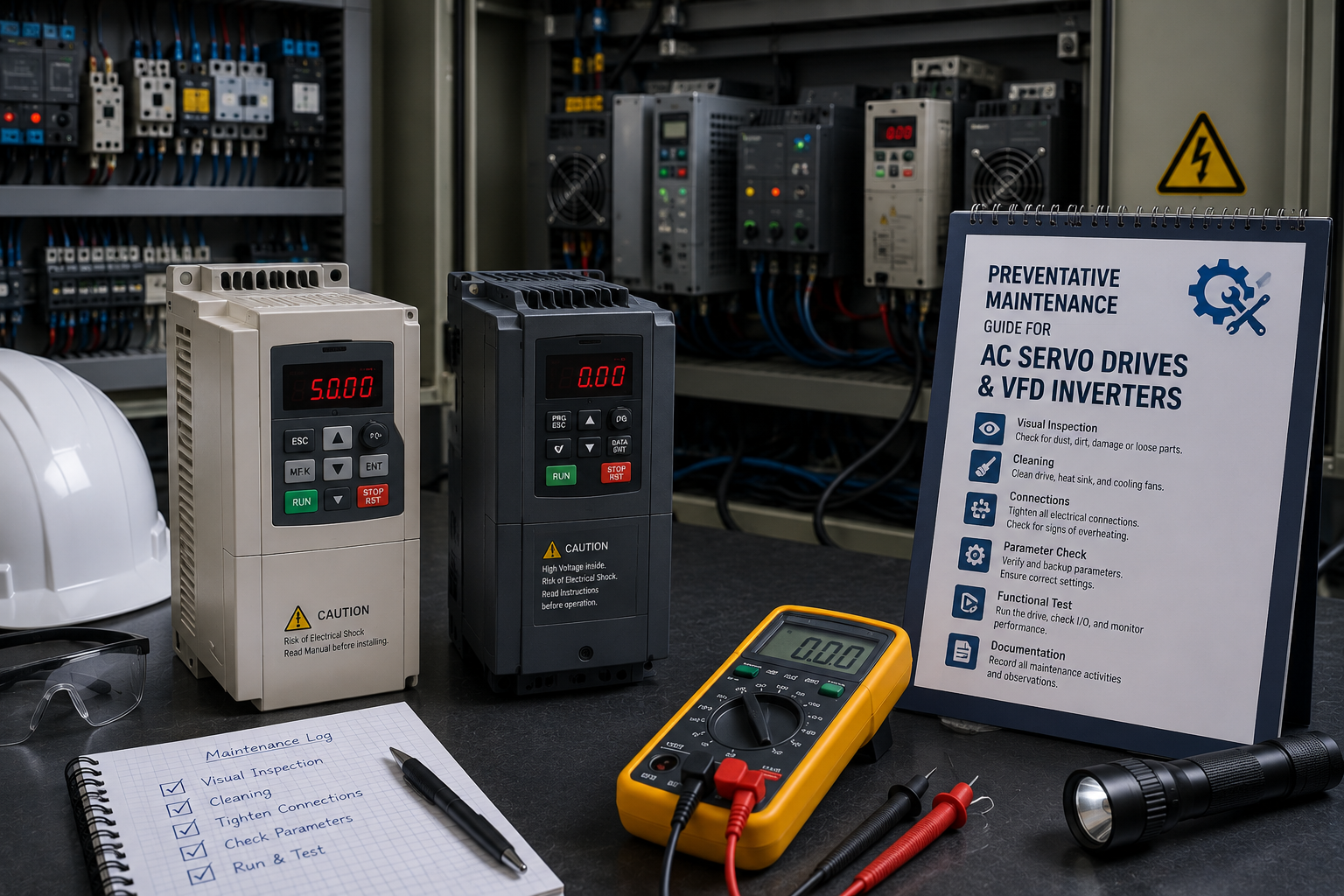
Industrial automation environments in textile and chemical plants demand uninterrupted PLC communication. Siemens S7-1200 controllers utilize diagnostic buffer logs to isolate hardware failures, memory overflow, and PROFINET bus interruptions. Key Troubleshooting Steps: Inspect Hardware LEDs: Check the ERROR and MAINT LEDs on the CPU module. Analyze TIA Portal Diagnostic Buffer: Connect via Ethernet to read exact event IDs. Verify PROFINET Shielding: Ensure high-frequency industrial noise from VFD cables is mitigated with proper grounding. For complex hardware component failures, MegaHz provides specialized component diagnostics and repair services in Faisalabad.
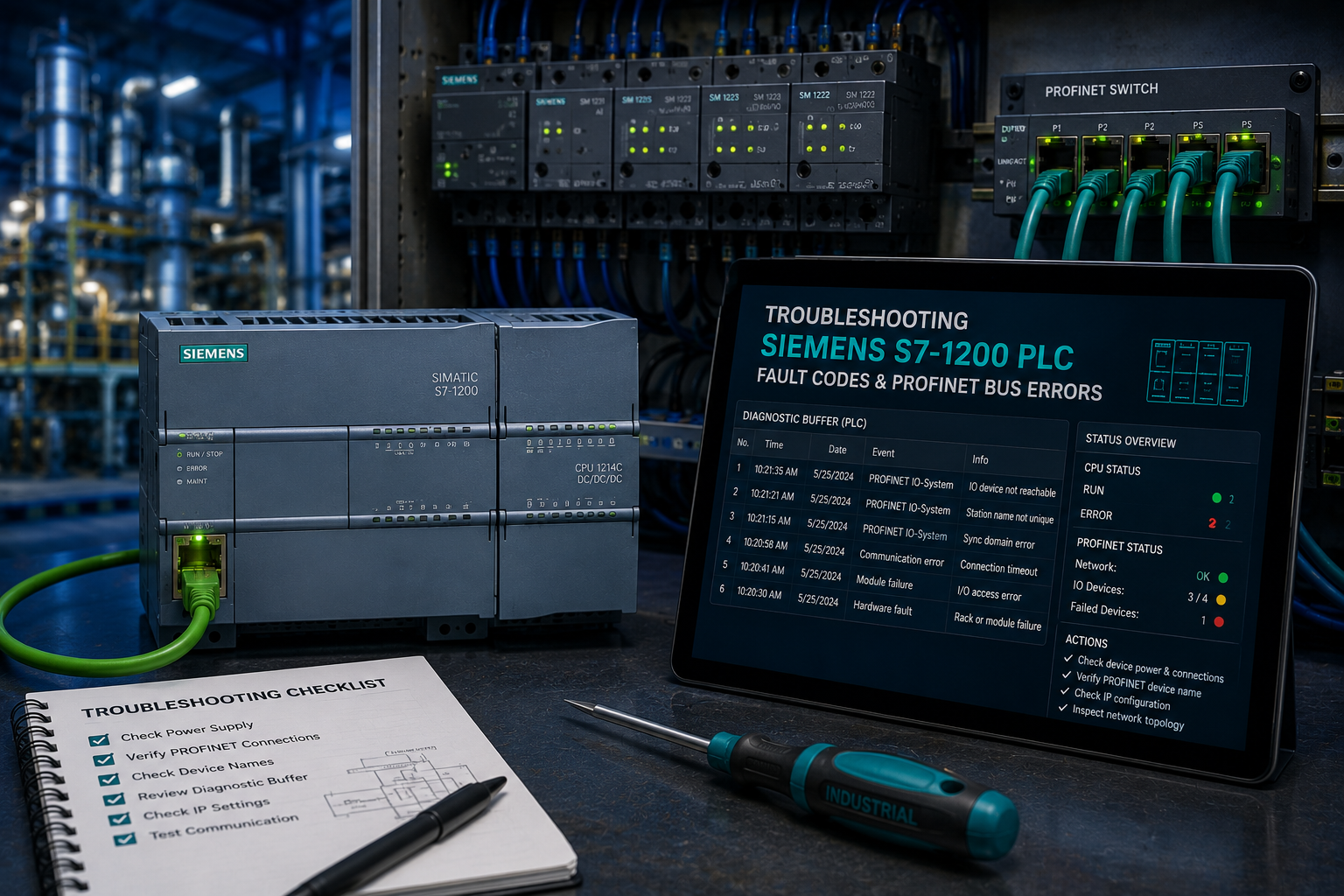
Variable Frequency Drives (VFDs) and AC Servo Amplifiers are the backbone of modern textile stenter machines and automated conveyors. Heat, humidity, and lint accumulation are primary causes of premature IGBT power module degradation. Recommended Maintenance Checklist: Clean cooling fan heat sinks quarterly using compressed dry air. Inspect DC bus electrolytic capacitors for swelling or leakage. Check terminal block torque specs to prevent loose arc heating. Our repair workshop in Bilal Ganj Faisalabad conducts full load testing on custom test benches for all major brands including Yaskawa, Mitsubishi, Lenze, and Delta.